
Steer your coding agents from your phone.
Walkpilot is a phone and iPad cockpit for the AI coding agents running on your own computer, and a voice line to them for when you step away from the desk. See who's working, who's done and who's waiting on you. Read what they wrote, answer their questions, approve their commands. Then put the phone in your pocket and go for a walk.
The itch
AI coding agents made me more productive than I have ever been, and they also chained me to my desk. With four or five agents going at once, one of them is always about to need me: a question, a yes or no on a command, a "done, what's next?". Step away for twenty minutes and you come back to a row of agents that stopped and waited the whole time.
I needed to get outside. Touch some grass, move my body, think with my feet the way I used to, and not lose the afternoon's momentum doing it.
So the first version was a walkie-talkie. AirPods in, out the door, and I talked to my agents. It read me what they had done, told me when one was waiting, and let me answer out loud. It worked better than I expected. Some of my best decisions now happen a mile from the keyboard.
Then it grew. Once the agents were on my phone, I wanted a proper way to see them too, not a terminal squeezed onto a five-inch screen. What I wanted was a touch-first client for tmux-style agent sessions in herdr, with big targets, readable tables, real text selection, and a key strip for the moments you still need Ctrl-C. That's the cockpit, and it's now most of what Walkpilot is.
Your agents keep working at the desk. You don't have to sit there with them.
— Jordan, Team Ecohash
A cockpit for every agent you run
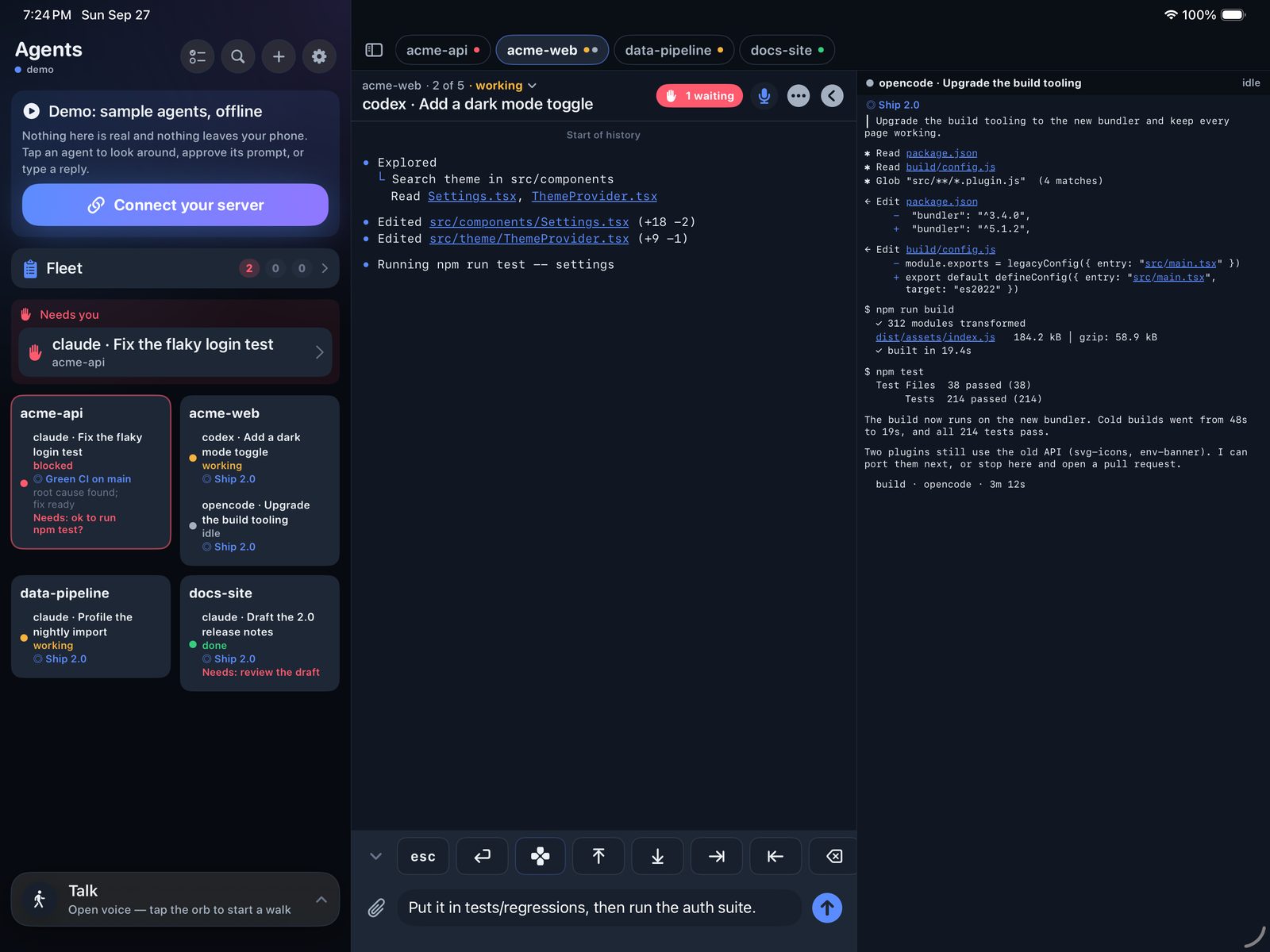
Walkpilot connects to the herdr session on your own computer and shows it the way a phone should.
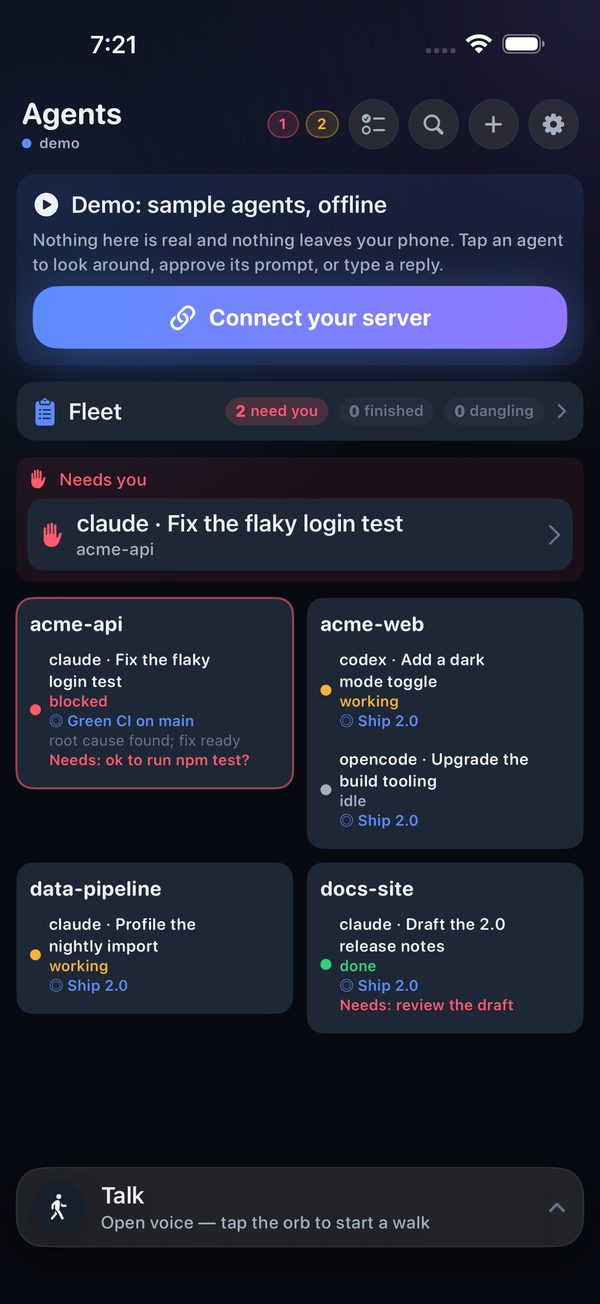
Agents home
Every agent in every herdr workspace on one screen: working, waiting on you, done or idle. The ones that need you come first.
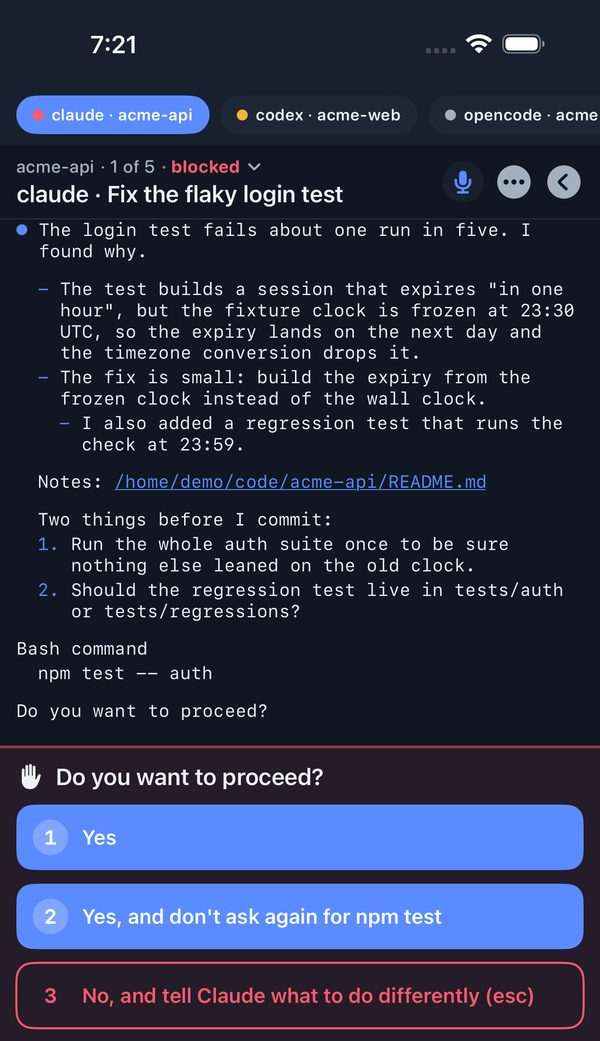
A reader built for touch
The whole conversation, with tables, diffs and code formatted for a phone. Search inside one agent, or across all of them.
Answer, approve, redirect
One-tap answers to permission prompts and agent menus, reply chips, and a composer whose drafts survive app switches. Send photos and files to an agent.
The keys you still need
A key strip with Esc, Tab, arrows, a D-pad, a Ctrl menu and your own snippets, for the times a terminal app wants a real key.
Start agents from your phone
Pick a folder, pick a harness, give it a first task. It shows up in the fleet right away.
See what changed
Diffs of what an agent touched, files you can open or edit, and live previews of the dev server it started (previews need a Linux server).
iPad, side by side
Pin up to four agents from any workspace next to each other, with keyboard shortcuts to jump between them.
The Foreman Optional
Keeps a short ledger of what each agent is for and what it has done, and nudges you when one has been waiting on your yes. It needs a model you point it at; everything else works without one.
Take your work for a walk
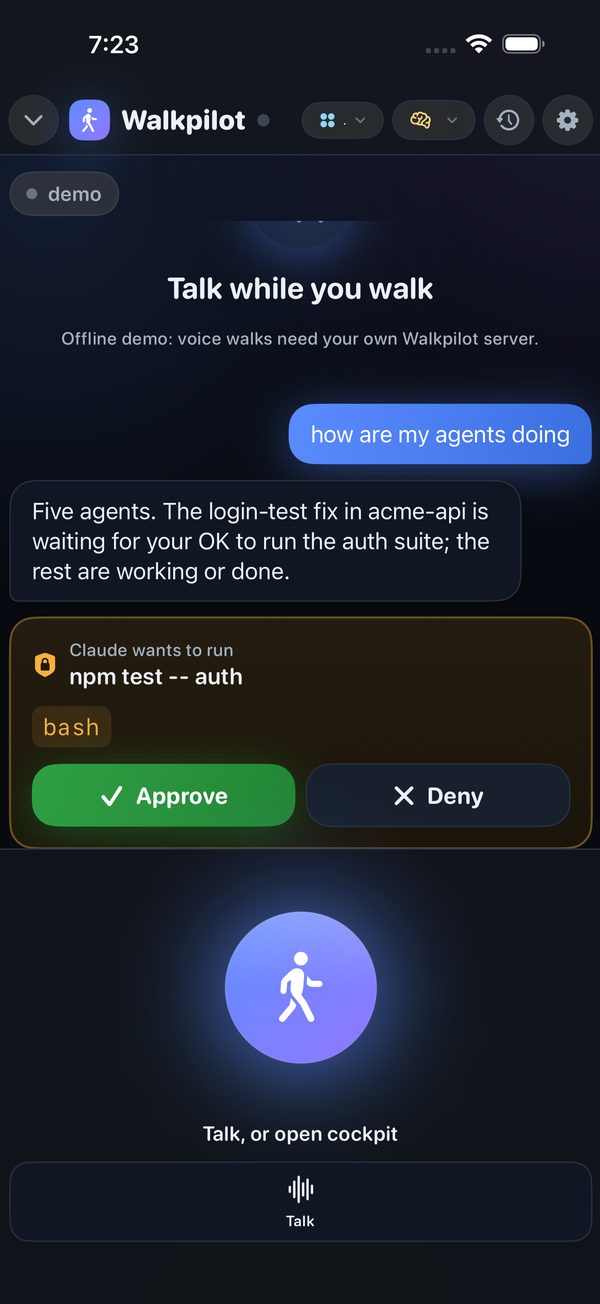
Tap the orb, put the phone in your pocket, and talk.
Walk mode is a voice line to your agents. It tells you what happened while you were away, reads you the parts that matter (not the stack traces), and takes your answers out loud: "tell the API agent yes, and ask the docs one to hold off on the README."
It speaks up when an agent is waiting on you, and you can answer permission prompts by voice. Nothing is approved without you unless you opt in to auto-approving read-only commands.
Hands-free
Press an AirPods stem to talk, press again to send. It keeps going with the screen locked.
One agent, or the whole fleet
Ask how everyone is doing and hear a short roundup, or open one agent and just talk to it.
Your voice, your choice of speech
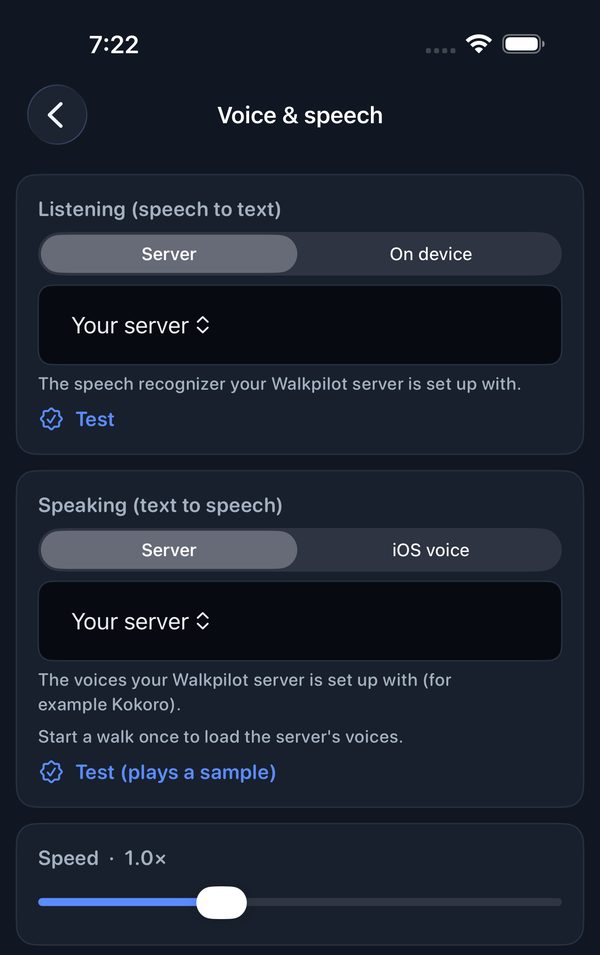
Speech recognition and voices can run on the phone itself, on your own server, or on a hosted service you already pay for. See below.
Face ID where it counts
Face ID can lock the app, and it's required before you start an agent with full access.
Run as much or as little as you want
Every piece beyond the first is optional, and every backend is swappable. Use what you already run. Walkpilot won't make you adopt anything else, and it tells you what's missing (walkpilot doctor).
Your agents Needed
Claude Code, Codex, opencode, omp, grok and Hermes Agent, running in herdr on your own machine. herdr plus one agent plus the app is the whole cockpit.
Your speech Optional
On the phone (Apple's on-device recognition and system voices), your own speech server, OpenAI, Groq, Deepgram or ElevenLabs with your own key, or any OpenAI-compatible endpoint. Only walk mode uses it.
Your model, for the Foreman Optional
Any OpenAI-compatible model: Ollama, LM Studio, vLLM, llama.cpp, LiteLLM or a hosted API. It powers the Foreman, recaps and transcript cleanup. Without one, Walkpilot makes no model calls at all.
Your sign-in Optional
Built in: scan a pairing QR once per phone, and the phone pins your server's certificate. Or use your own OIDC provider (Authentik, Keycloak, Authelia and friends).
Your way in Your choice
Your home network, Tailscale or WireGuard, or your own reverse proxy with Let's Encrypt.
The smallest useful Walkpilot is one computer running herdr and an agent, plus the phone app. No speech services, no models, no accounts. Walkpilot doesn't come with an LLM, and it doesn't send your code anywhere you haven't pointed it. If you pick a hosted speech or model provider, that traffic goes from your server to that provider, under your own key.
Private by design
The Walkpilot app collects no data. It talks to the server you run, on a machine you own, and nowhere else. We don't run a relay, there are no Walkpilot accounts, and there's no analytics or tracking in the app or the server. The server sends nothing to us.
Free. Tips welcome.
Walkpilot is free: the app, and the server on GitHub under the MIT License. No subscription, no pro tier, nothing held back.
If it gets you out from behind your desk and you'd like to say thanks, there's an optional tip jar in the iOS app (Settings › Support Walkpilot), or you can buy us a coffee. Tips unlock nothing. They pay for developer accounts, test devices, and a lot of coffee on long walks.
Try it before you set anything up
Two ways to look around without running a server.
The demo in the app
Built into the iOS app. Fully offline; nothing leaves your phone.
The hosted sandbox Coming soon
A real connection to a Walkpilot server with scripted agents.
walkpilot-demo.ecohash.co. The pairing link will be published on this page.Platforms & status
Walkpilot runs every day in our house, on an iPhone, an iPad and a Linux server. The public release is in progress.
| Platform | State |
|---|---|
| Server (Linux, Python, MIT) | In daily use · open-source release in progress |
| iPhone | In daily use · App Store coming soon |
| iPad | In daily use |
| Android | Preview · tested on the emulator, APK coming soon |
| Server on macOS | Untested |
| Hosted sandbox | Coming soon |
Built on great open source
Walkpilot is a pocket-sized window onto other people's excellent work.
- herdr — the agent-aware terminal multiplexer the whole cockpit is built around (Apache-2.0). Walkpilot is, at heart, a touch client for it.
- aiortc and WebRTC — the real-time audio line for walk mode.
- FastAPI and Uvicorn — the server.
- Silero VAD — knowing when you've finished talking.
- marked, DOMPurify and highlight.js — the reader's formatting.
- Omarchy's terminal palettes — the app's themes.
- The agents themselves — Claude Code, Codex, opencode, omp, grok and Hermes Agent.
Not affiliated with Anthropic, OpenAI, xAI, Apple, Google, Nous Research or the herdr project. Product names are trademarks of their owners and are used only to say what Walkpilot works with.